
Trust accounts
CaseFlow has built-in trust (IOLTA) accounting. You can track client funds held in trust, record deposits and disbursements, reconcile accounts, and generate statements.
What you can do
- Create and manage trust accounts (firm administrators only)
- Record deposits into trust on behalf of a client
- Record disbursements from trust for costs, fees, or refunds, optionally applied as a payment against an outstanding invoice
- Record transfers from trust to your operating account or to an external payee
- Post interest credits, including IOLTA bar-foundation accruals
- Record bank fees debited from the account
- View per-client trust balances and a full per-account ledger
- Run a three-way reconciliation (ledger total vs sum of client balances) and tick off transactions as bank-cleared
- Generate trust statements for clients or auditors
- Set a low-balance warning threshold per firm
Accessing trust accounts
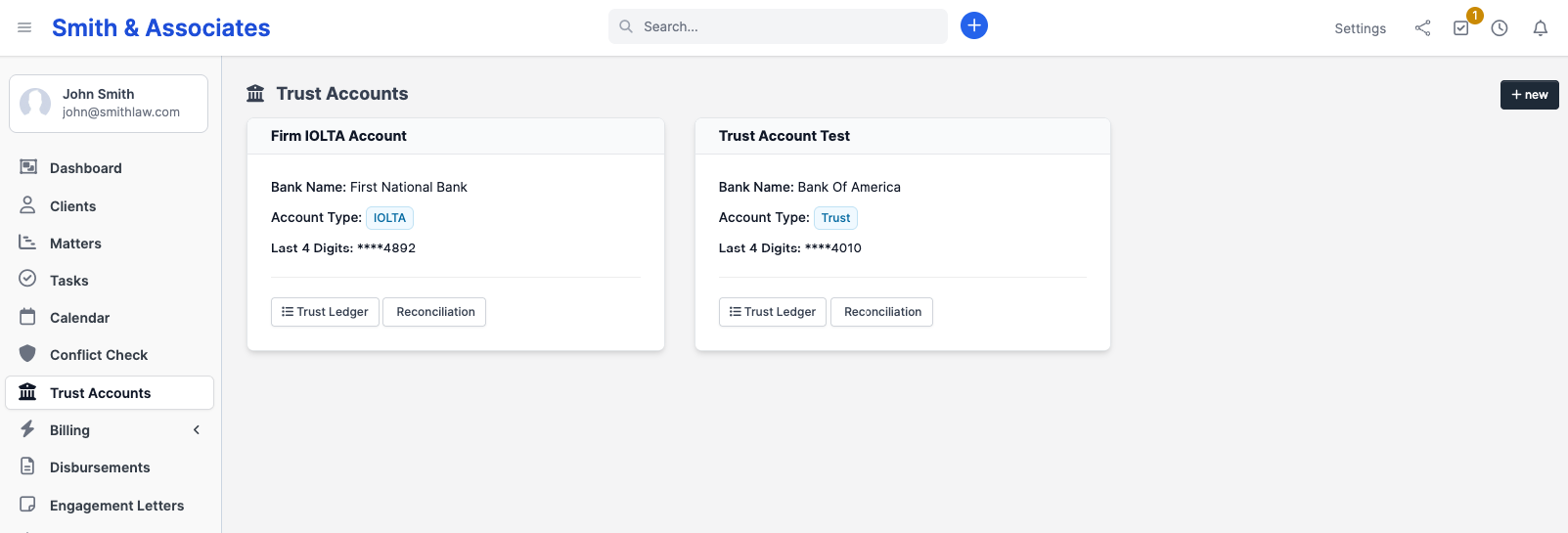
Click Trust Accounts in the sidebar. You see a card for each configured trust account showing its name, bank name, account type (IOLTA / Trust / Operating), and the last four digits of the bank account number. Click Trust Ledger on a card to open the per-account ledger and see balances, or Reconciliation to run a three-way reconciliation.
How it works
A trust account in CaseFlow mirrors a real bank account (usually your firm's IOLTA account). Each deposit and disbursement you record in CaseFlow should match a real transaction in the bank.
The per-client ledger shows each client's portion of the pooled trust account. Even though the money sits in one bank account, CaseFlow tracks how much belongs to each client separately. 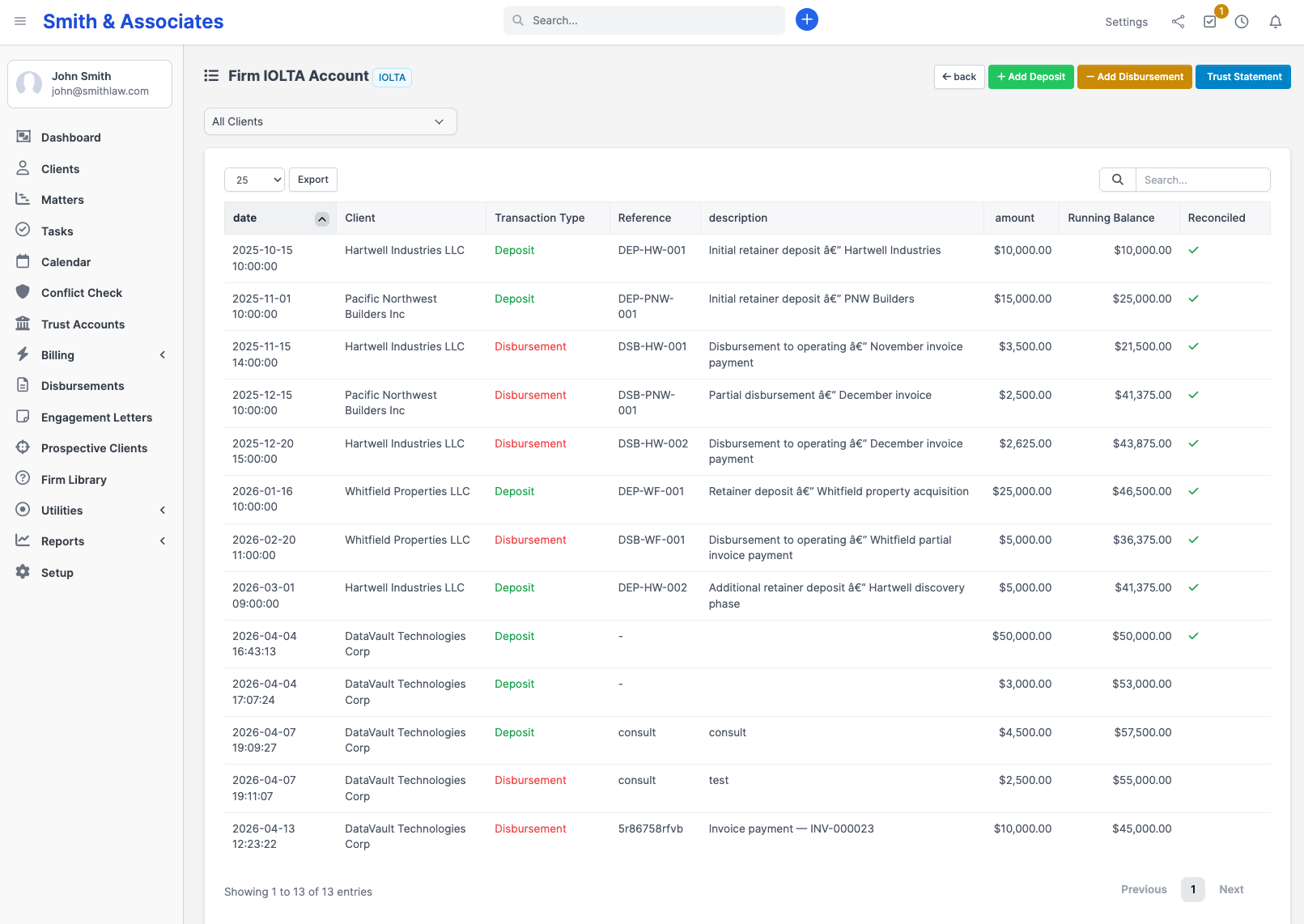
Plans and availability
Trust accounting is available on all plans.
Ethical obligations
Trust accounting has strict rules (varies by jurisdiction). CaseFlow provides the record-keeping tools, but your firm is responsible for:
- Never using one client's trust funds for another client's expenses
- Keeping trust funds separate from operating funds
- Reconciling regularly (monthly at minimum for most bars)
- Maintaining records for the period required by your jurisdiction
CaseFlow does not enforce these rules automatically. It records what you tell it.
Compliance
Every action on a trust account is recorded in a separate, dedicated audit log that is independent from the general firm activity log and is retained for seven years on every plan. The trust audit log is bar-mandatory under ABA Model Rule 1.15(d) and equivalent state-bar rules in every U.S. jurisdiction. See Trust audit trail for the complete list of recorded events, who has access, and how to produce records for a bar examination.