
Tasks
Tasks are individual pieces of work. They can be linked to a matter (e.g. "Draft motion to dismiss") or stand alone (e.g. "File annual bar registration"). Every task can be assigned to one or more team members, given start and due dates, and tracked through statuses.
What you can do
- Create tasks and assign them to one or more team members
- Set a start date, due date, and priority
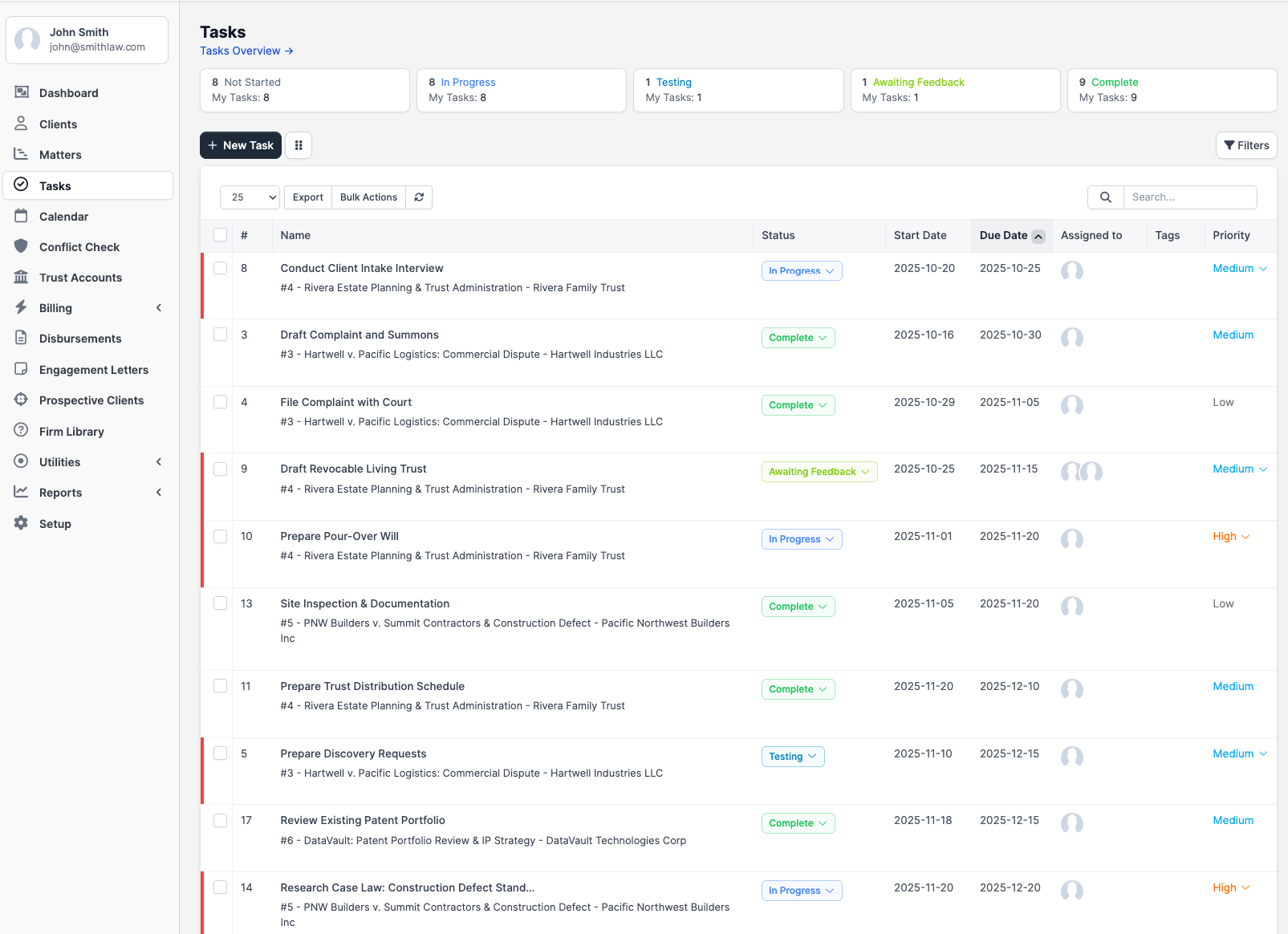
- Track status (Not Started, In Progress, Testing, Awaiting Feedback, Complete)
- Use the Kanban board for drag-and-drop status changes
- Add a checklist of items inside a task, optionally assigned to a team member each
- Drag-and-drop attachments onto the comment area, or attach files when creating the task
- Post comments
- Start and stop a built-in timer to log billable time
- Set personal reminders on a task (delivered as in-app notifications and emails)
- Add followers who get notified on activity but are not assigned the work
- Mark a task visible to the client (only when linked to a matter the client is allowed to see)
- Set the task to recur on a schedule
Accessing tasks
The sidebar entry is labeled Tasks. Clicking it opens the firm-wide task list. Above the list are summary cards by status and a Tasks Overview link that drills into a detailed-overview report.
From a matter, open the matter and switch to the Tasks group. Tasks created inside a matter are automatically related to that matter.
Task statuses
| ID | Status | Default color |
|---|---|---|
| 1 | Not Started | slate |
| 4 | In Progress | blue |
| 3 | Testing | sky |
| 2 | Awaiting Feedback | lime |
| 5 | Complete | green |
The Kanban board lays the columns out in the order above. There is no enforced workflow; you can move a task between any two statuses. 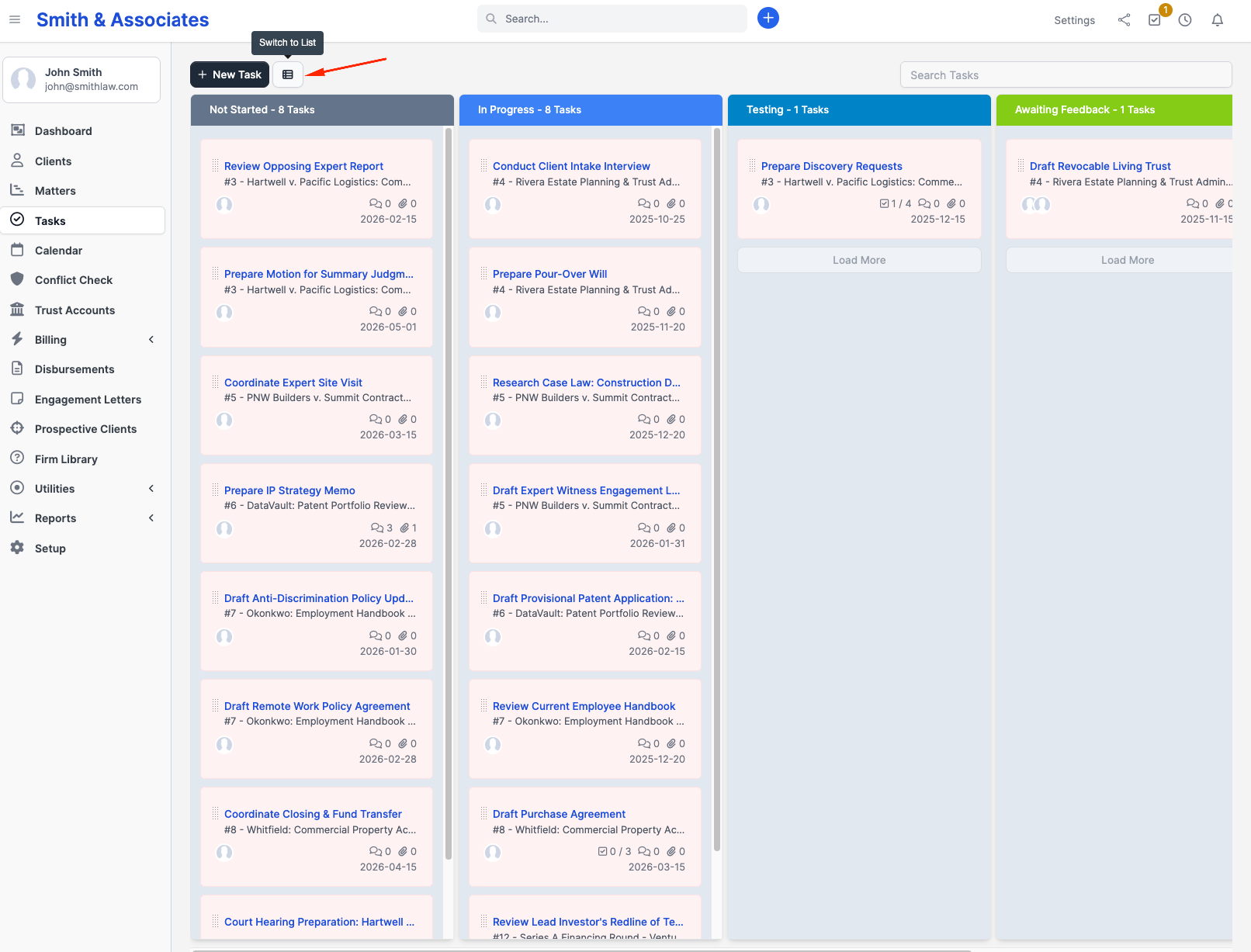
Priorities
There are four built-in priority levels:
| Level | Priority |
|---|---|
| 1 | Low |
| 2 | Medium |
| 3 | High |
| 4 | Urgent |
The priority shows as a colored top-border on each Kanban card.
Plans and availability
Tasks (including the Kanban board, timers, recurring tasks, checklists, reminders, and comments) are available on every plan, including Solo.