
Billing adjustments
A billing adjustment reduces the amount a client owes. Use it when you need to partially refund an invoice, correct an overcharge, or give a client a credit toward future work.
Plan requirement
Available on the Growth plan and above.
Creating a billing adjustment
Go to Billing > Billing Adjustments and click New Billing Adjustment.
Fill in:
- Client: Who the adjustment is for
- Billing Adjustment #: Auto-generated (the prefix and next number are configurable in Setup > Settings > Billing & Finance > Billing Adjustments)
- Billing Adjustment Date: Date of the adjustment
- Line items: What the adjustment is for. Add items with descriptions and amounts, same as an invoice.
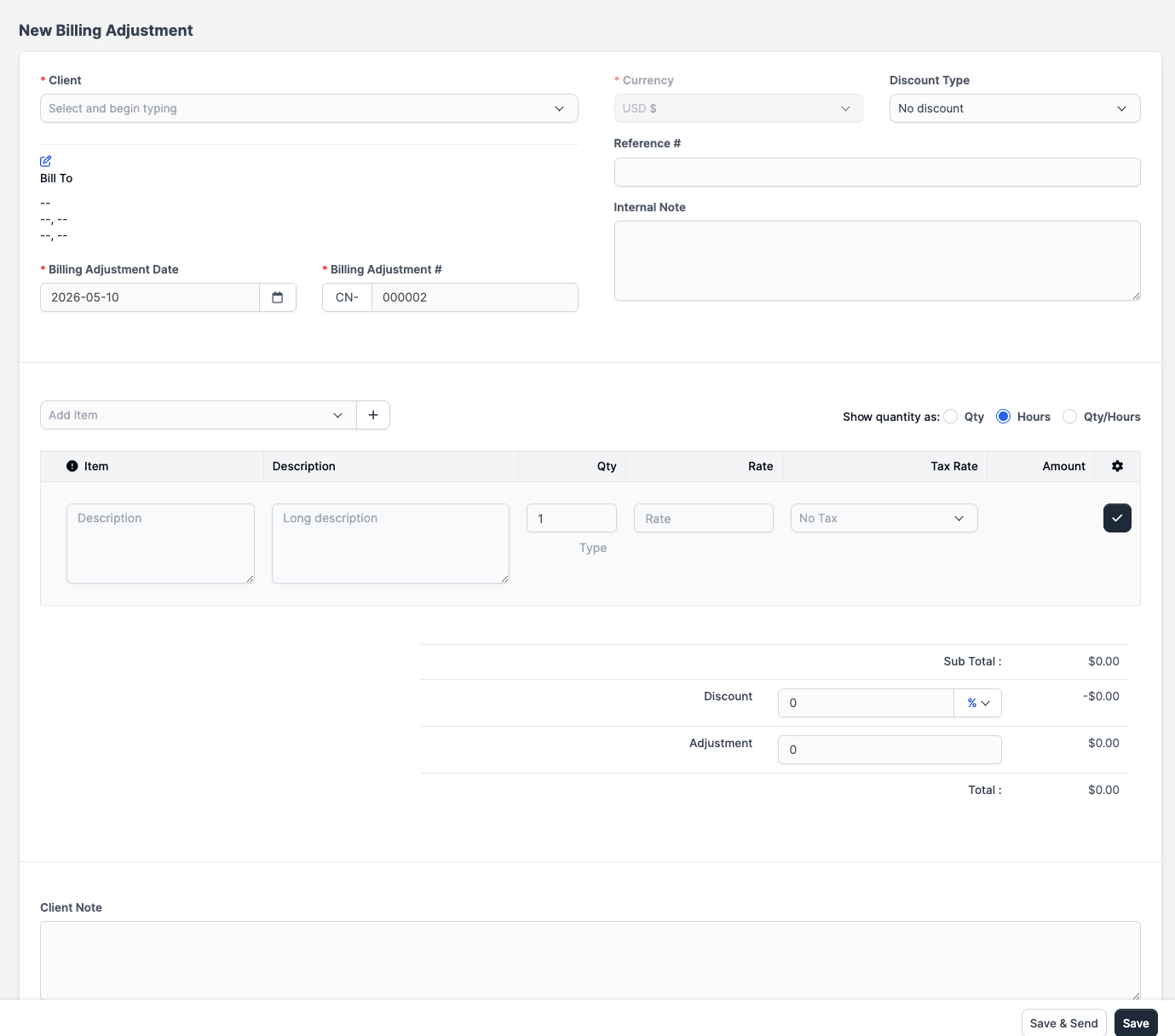
Click Save.
Applying a billing adjustment to an invoice
Once a billing adjustment exists, you can apply it against an outstanding invoice. Open the billing adjustment and click Apply to Invoice. Select the invoice and the amount to apply.
The invoice balance reduces by the applied amount. If the adjustment fully covers the remaining balance, the invoice status changes to Paid.
A single billing adjustment can be split across multiple invoices.
Billing adjustment statuses
| Status | Meaning |
|---|---|
| Open | Credit exists and has remaining balance available to apply |
| Closed | The full amount has been applied to invoices or refunded |
| Void | Cancelled; the billing adjustment no longer has any effect |
A billing adjustment with some amount applied but a balance still remaining stays in the Open status until the full amount is used.
You can mark an Open billing adjustment as Void only if no credits have been applied and no refunds have been recorded against it. Once credits are applied, you must remove those applications before voiding.
Refunds vs. billing adjustments
Billing adjustments are internal accounting entries. They reduce what a client owes within CaseFlow. If you need to actually return money to a client's bank account, process the refund through your payment provider (Stripe dashboard or your bank) and then record it in CaseFlow as a billing adjustment for your records.
Viewing billing adjustments
The Billing > Billing Adjustments list shows all billing adjustments with their status, amount, and remaining balance. Click any row to see its details and application history.