
Creating your account
Go to system.caseflow.law/register to sign up.
What you will need
- Your firm's name
- A subdomain (this becomes
yourname.caseflow.law) - Your name and email address
- A password (minimum 8 characters)
Registration steps
Enter your firm name. This appears on invoices, proposals, and emails sent to clients.
Pick a subdomain. Only lowercase letters and numbers; no spaces or special characters. Once set, it cannot be changed. Choose carefully.
Fill in your name, email, and password. The email you use here becomes the firm administrator account.
Check the box to agree to the Terms of Service and Privacy Notice.
Click Create My Firm.
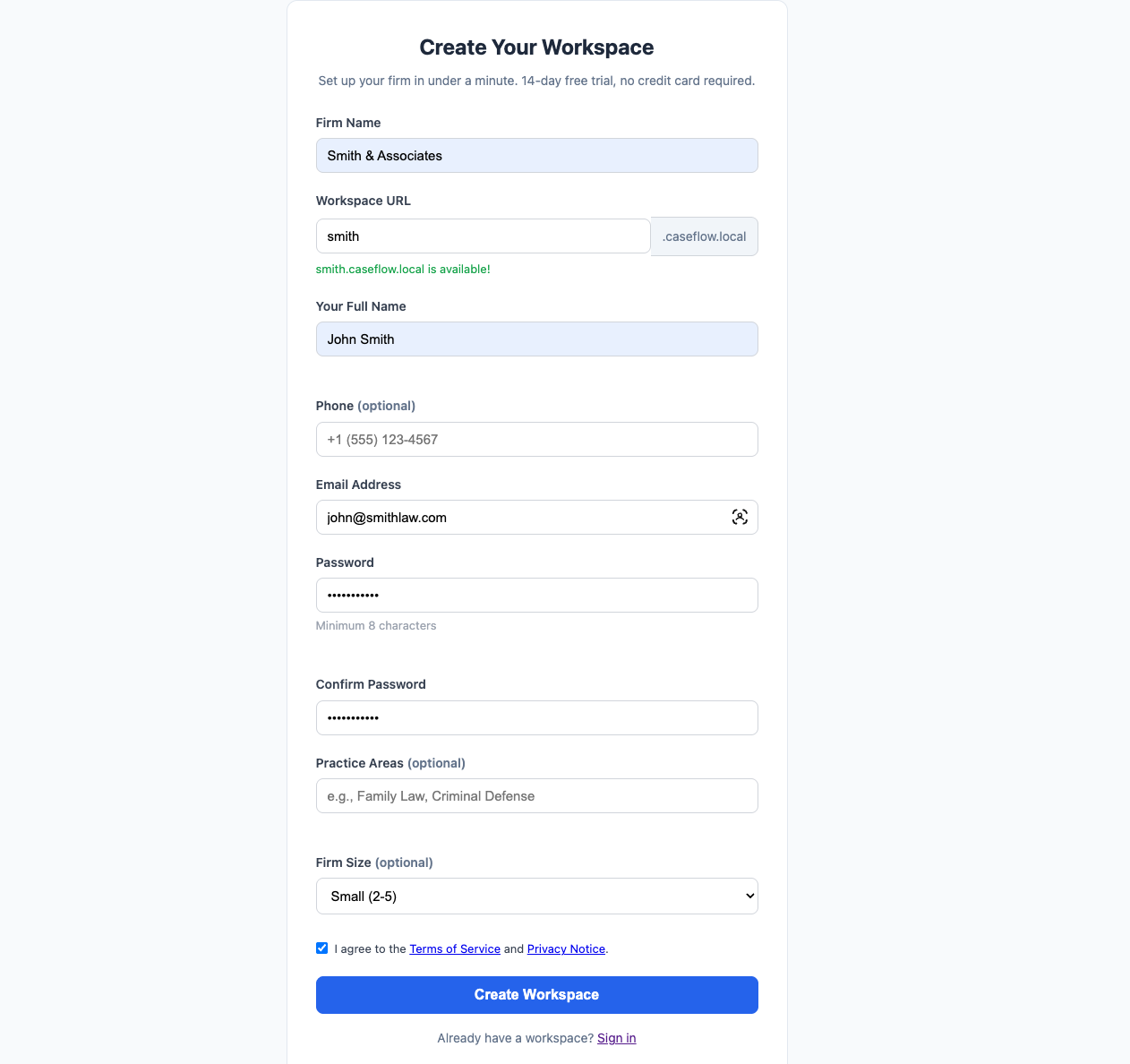
CaseFlow provisions your workspace and redirects you to your new subdomain. This takes a few seconds.
After registration
You land on your Dashboard. The trial starts immediately; you have 14 days with full Growth plan features and up to 5 seats.
No credit card is required during the trial. You can upgrade or pick a plan at any time from Setup > Billing & Plan.
Subdomains and access
Your firm lives at yoursubdomain.caseflow.law. Bookmark this URL. All staff at your firm log in through this address.
The system domain (system.caseflow.law) is only for registration and platform administration. You will not use it day-to-day.
If you already have an account
Go to system.caseflow.law/find-firm and enter your email. CaseFlow will tell you which firm you belong to and link you to the right login page.