
Recording payments
When a client pays you (by cheque, wire transfer, cash, or any offline method), you record the payment manually in CaseFlow to mark the invoice as paid.
Recording a payment against an invoice
Open the invoice and click on the Payment button. 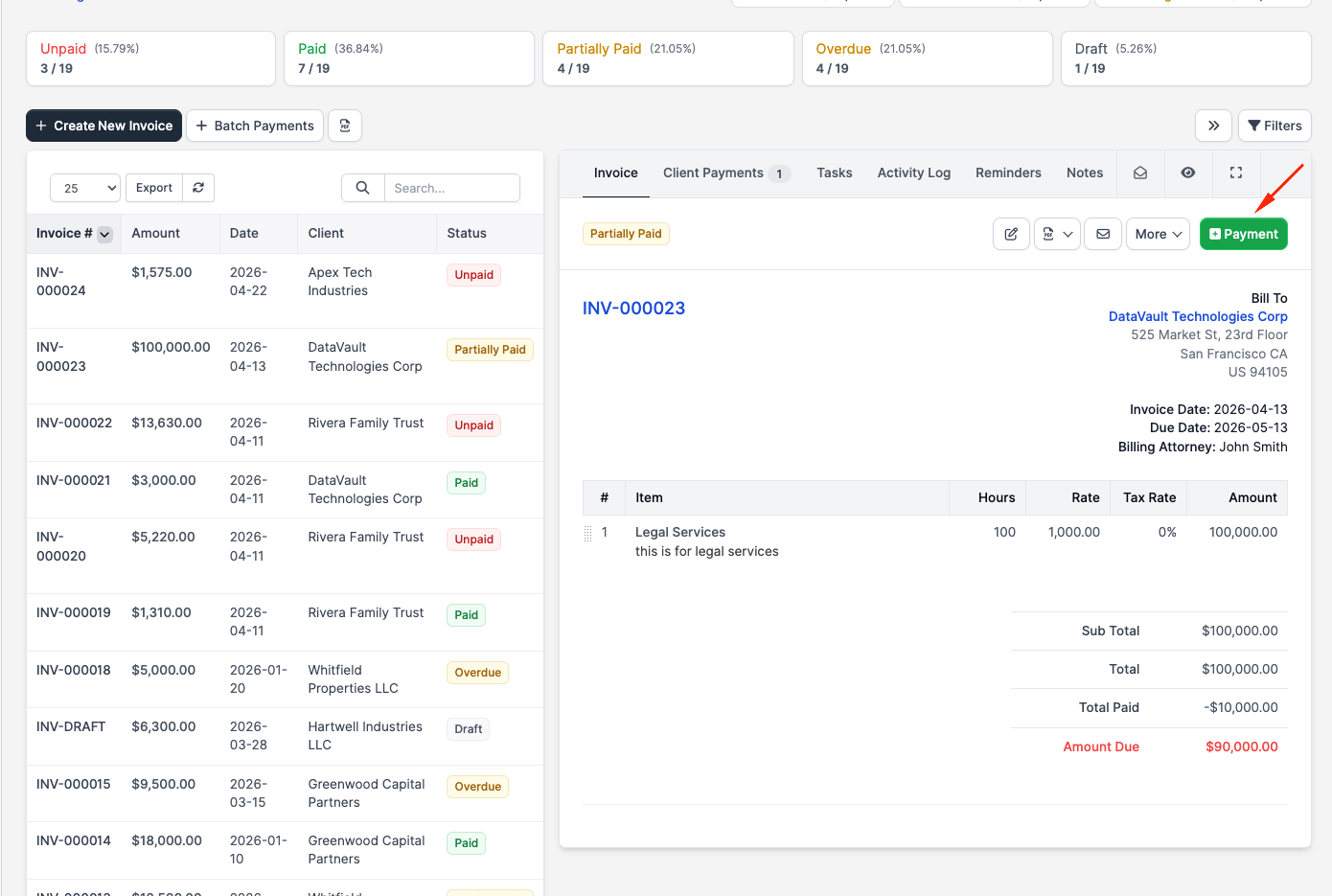
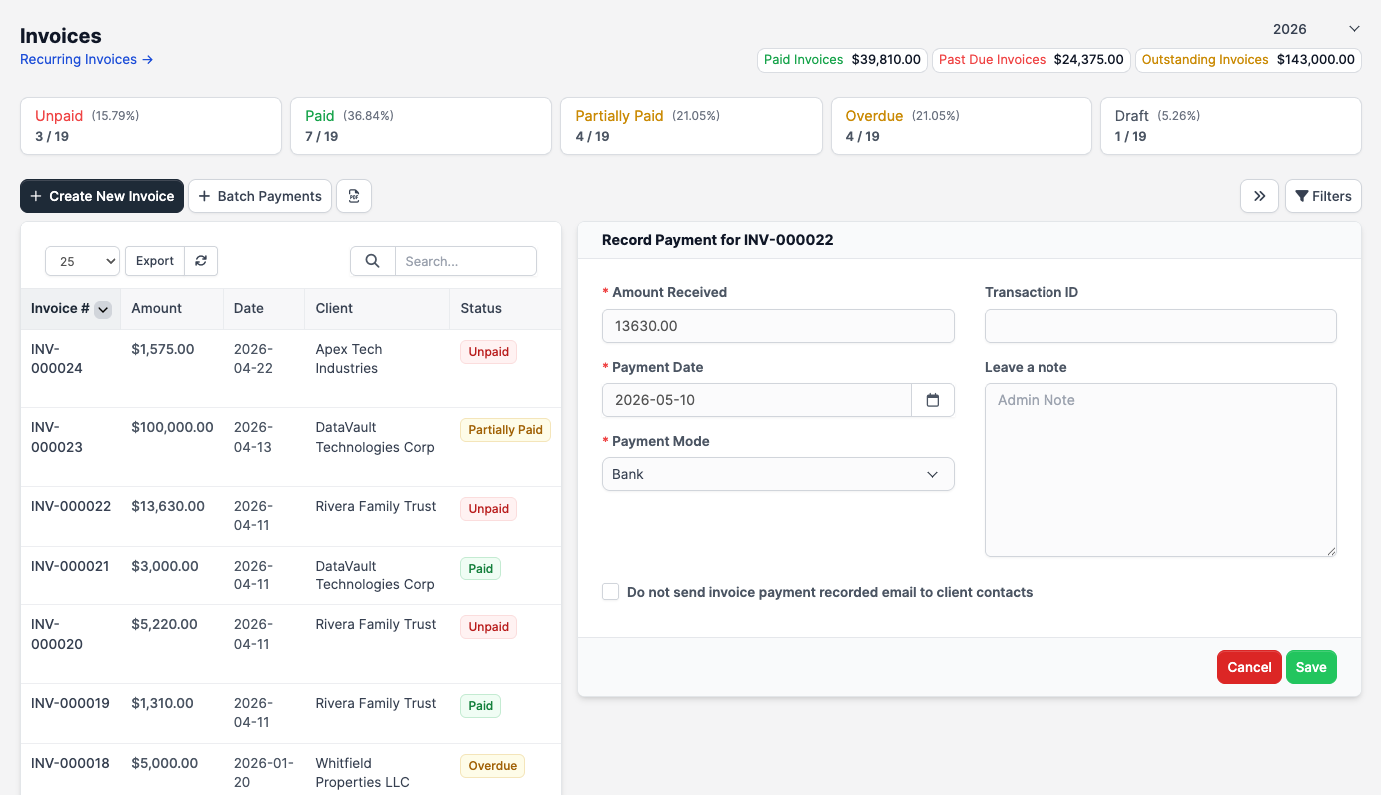
Fill in:
- Amount Received: How much was paid. Defaults to the balance due.
- Payment Date: When the payment was received.
- Payment mode: Select the method (e.g. Cheque, Bank Transfer, Cash). These are configured in Setup > Finance > Payment Modes.
- Transaction ID: Optional bank/cheque/transaction reference.
- Note: Optional free-text note.
If you select a Trust/IOLTA payment mode, an extra dropdown appears for choosing which client trust account to draw from. CaseFlow will not allow the form to submit until a trust account is picked. 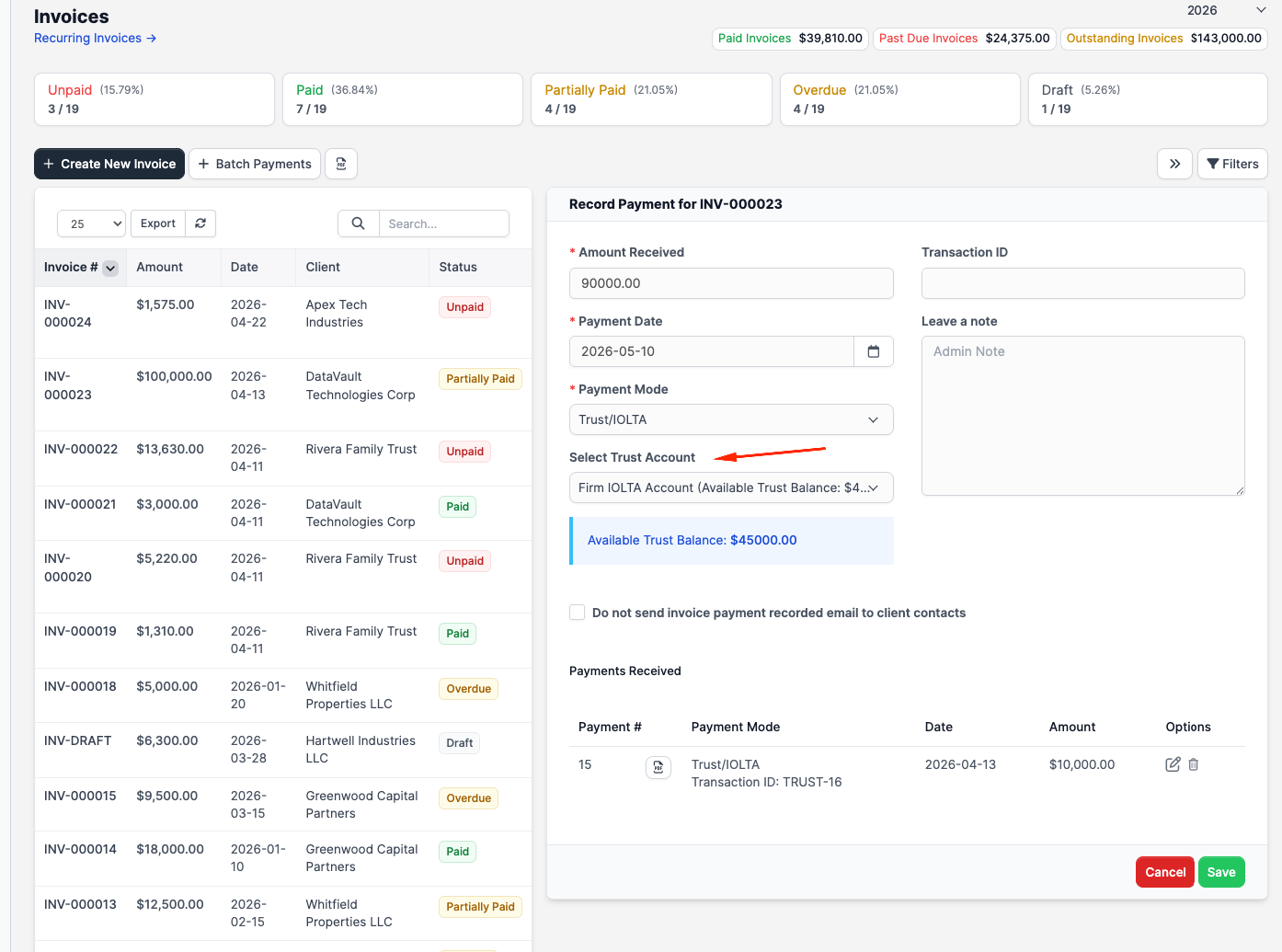
Click Save. The payment is recorded and the invoice status updates:
- If the amount covers the full balance: status becomes Paid
- If the amount is less than the balance: status becomes Partially Paid
Partial payments
Clients can pay in instalments. Each payment is recorded separately. The invoice shows a payment history with dates and amounts, and the remaining balance updates after each one.
Viewing all payments
Go to Billing > Client Payments in the sidebar to see every payment across all invoices. This list shows:
- Payment number
- Invoice number
- Client
- Amount
- Payment mode
- Date
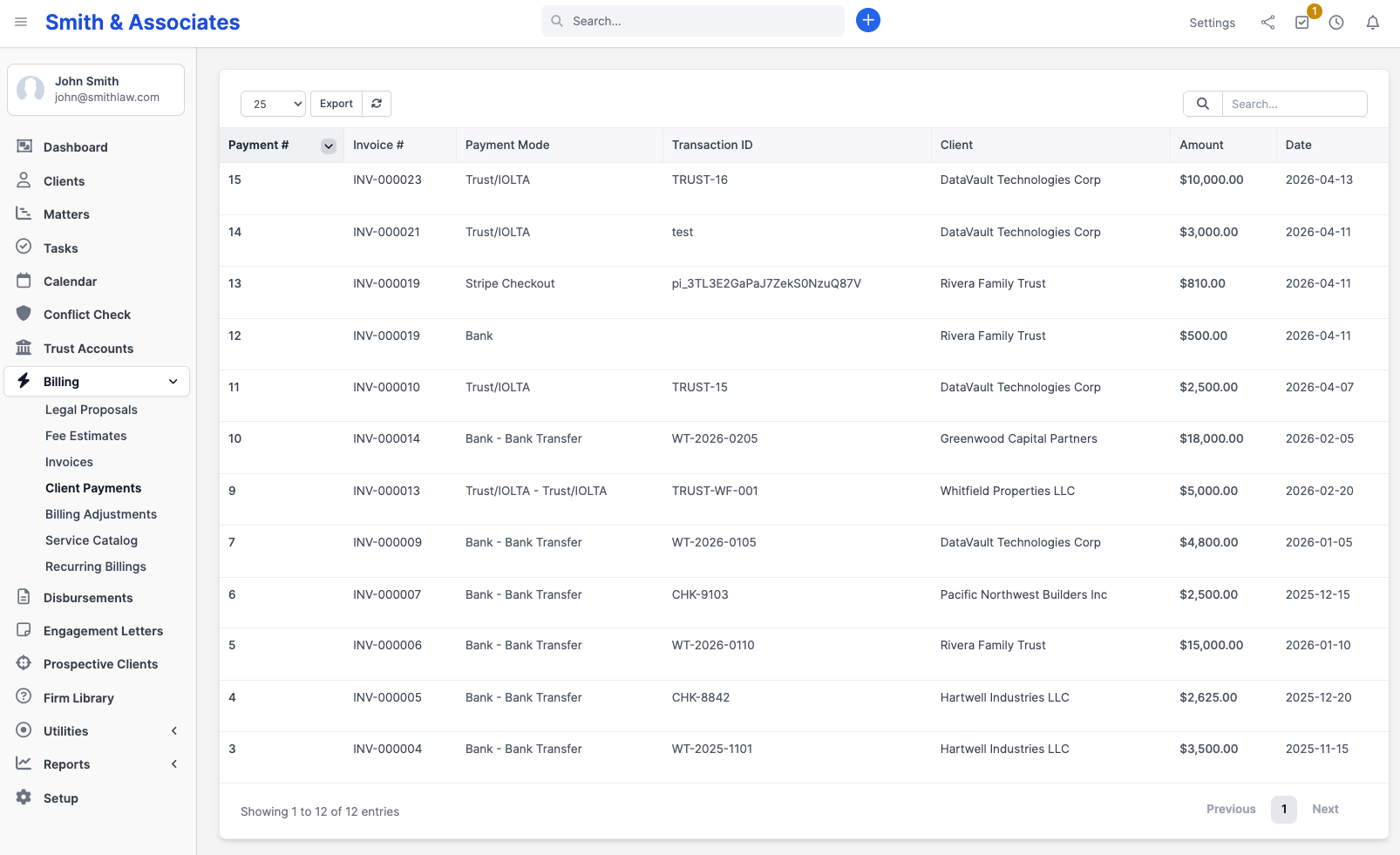
Use the filters to search by client, date range, or payment method.
Payment receipts
After recording a payment, you can send a receipt to the client. Open the payment record and click the envelope icon at the top right. CaseFlow emails a confirmation with the amount, date, and invoice reference. If Attach invoice to payment receipt email is enabled in settings, the original invoice PDF is attached too.
The same toolbar offers View PDF, Download PDF, and Print of the payment receipt itself. 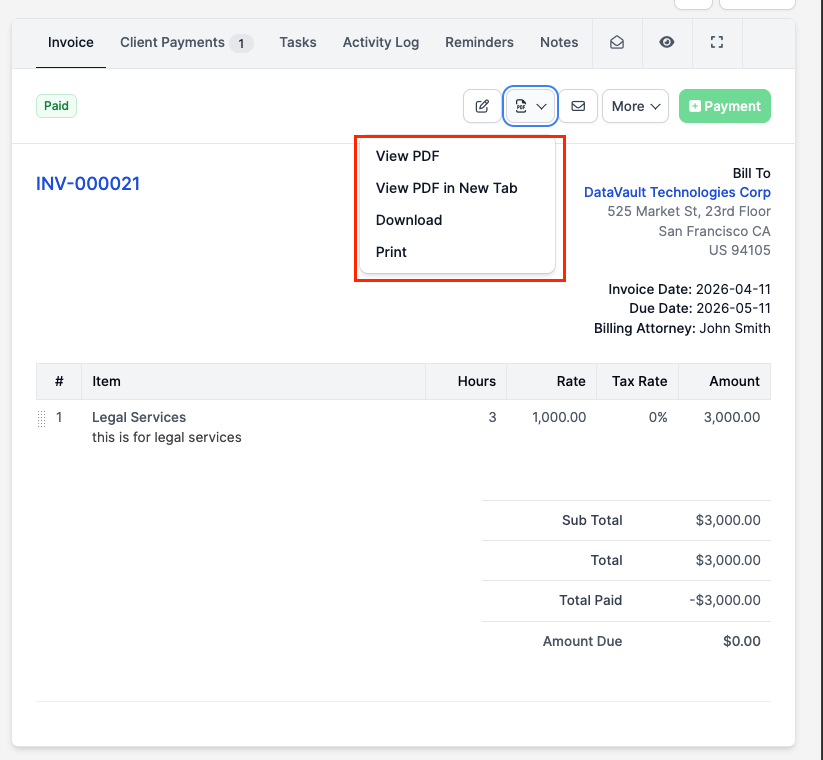
Deleting a payment
If you recorded a payment by mistake, open the payment record and click Delete. The invoice balance recalculates. This does not reverse any actual bank transaction; it only removes the record from CaseFlow. 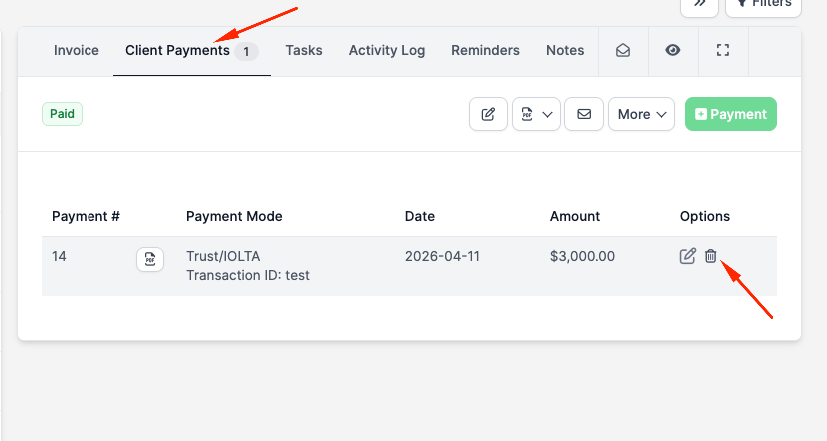
Online payments
If you have Stripe configured (Growth plan and above), clients can pay directly from the invoice link. Those payments are recorded automatically. See Online payments for setup details.