
Trust statements
A trust statement is a per-client report showing every deposit and disbursement against a single trust account over a chosen date range, along with opening and closing balances. Use it to give clients a record of their funds, prepare bar audit submissions, or close out a matter.
Generating a statement
Open the trust account ledger (Trust Accounts > Trust Ledger on the account card). Click Trust Statement at the top right of the ledger to open the statement modal.
Select:
- Client (required): The client the statement is for
- Date From (defaults to the first of the current month)
- Date To (defaults to today)
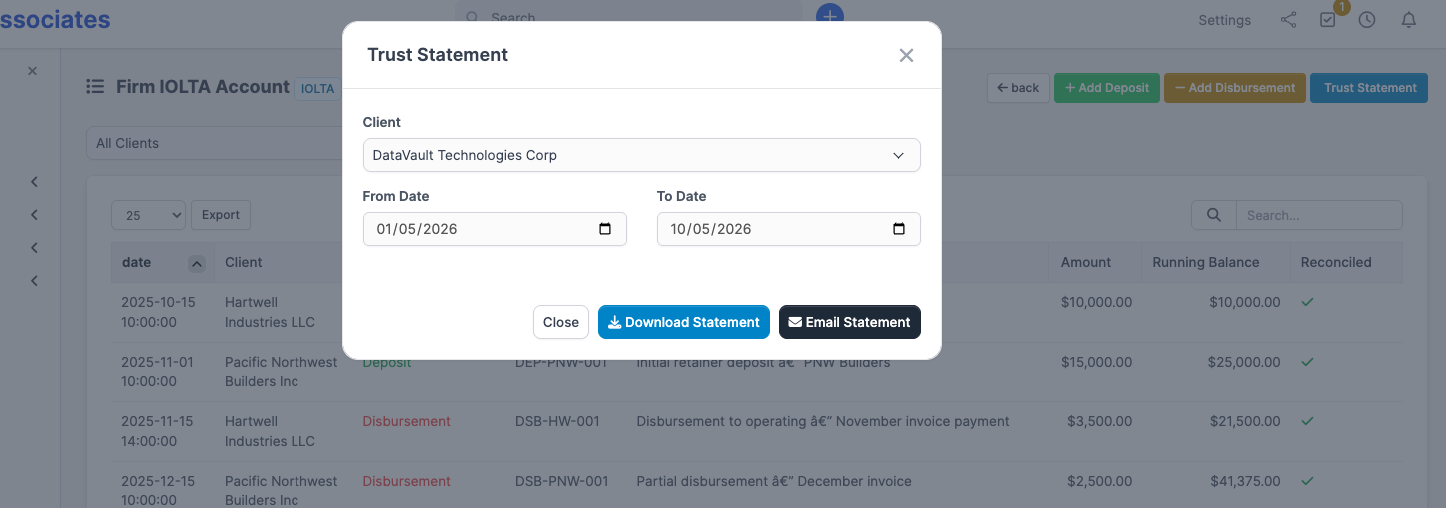
The modal has two action buttons:
- Download Statement — generates the PDF and downloads it to your machine.
- Email Statement — generates the PDF and emails it to the client. Recipients are every active contact on that client who has Receive invoice emails turned on; the email uses the Trust Statement to Customer template.
Both actions render the same PDF, which shows:
- Your firm name and the trust account name
- The client's name
- Opening balance at the start of the period
- Each deposit and disbursement with date, type, reference, description, amount, and running balance
- Total deposits, total disbursements, and closing balance at the end of the period
A statement is per-client
CaseFlow does not generate a "full account" statement that pools every client's transactions into one report. The Client field is required on the modal — leave it unselected and the modal will not submit. For an account-wide overview, use the trust ledger (Deposits and disbursements > Viewing the ledger) and clear the client filter; the ledger view shows every client's transactions in the same account.
Per-client statements from the client profile
You can also generate the same statement from the client side: open the client, switch to the Trust tab, and click Download Statement on any account where the client has a balance. That shortcut downloads a year-to-date statement for that client and account.
When you need statements
- Client request: A client asks how much of their retainer remains
- Matter closing: Generate a final statement showing all trust activity for a matter
- Bar audit: Your state bar requests trust records for a specific period
- Annual reconciliation report: Some jurisdictions require an annual trust accounting report filed with the bar
Statement vs. ledger
The ledger (visible in the app) and the statement (the PDF) show the same underlying transactions. The differences:
- The ledger is interactive, scoped to a whole account, and lets you filter by client.
- The statement is a per-client, formatted PDF for sharing — branded with your firm's name, scoped to one date range, with explicit opening and closing balances and per-period totals.
Use the ledger for day-to-day work; generate a statement when you need something to send out or file.