
Importing clients
If you have an existing client list in a spreadsheet, you can import it in bulk rather than creating each client one by one.
Preparing your CSV
CaseFlow accepts CSV files (comma-separated values). Your spreadsheet application (Excel, Google Sheets, Numbers) can export to this format.
The CSV needs a header row. CaseFlow recognises these column names:
| Column | Maps to | Required |
|---|---|---|
| company | Client/company name | Yes |
| vat_number | VAT/tax ID | No |
| phone | Phone number | No |
| website | Website URL | No |
| address | Street address | No |
| city | City | No |
| state | State or province | No |
| zip | Postcode/ZIP | No |
| country | Country (full name or 2-letter code) | No |
| group | Client group name | No |
If a group name in the CSV does not exist yet, CaseFlow creates it automatically.
Example CSV
company,phone,city,country,group
"Morrison & Partners","+1-555-0102","New York","US","Corporate"
"Jane Doe","+1-555-0199","Austin","US","Individual"
"Acme Holdings Ltd","","London","GB","Corporate"
Running the import
- Go to Clients in the sidebar
- Click the Import button (next to New Client)
- Upload your CSV file
- CaseFlow shows a preview of the data with column mapping. Check that each column mapped correctly. If a column did not auto-match, use the dropdown to assign it manually.
- Click Import
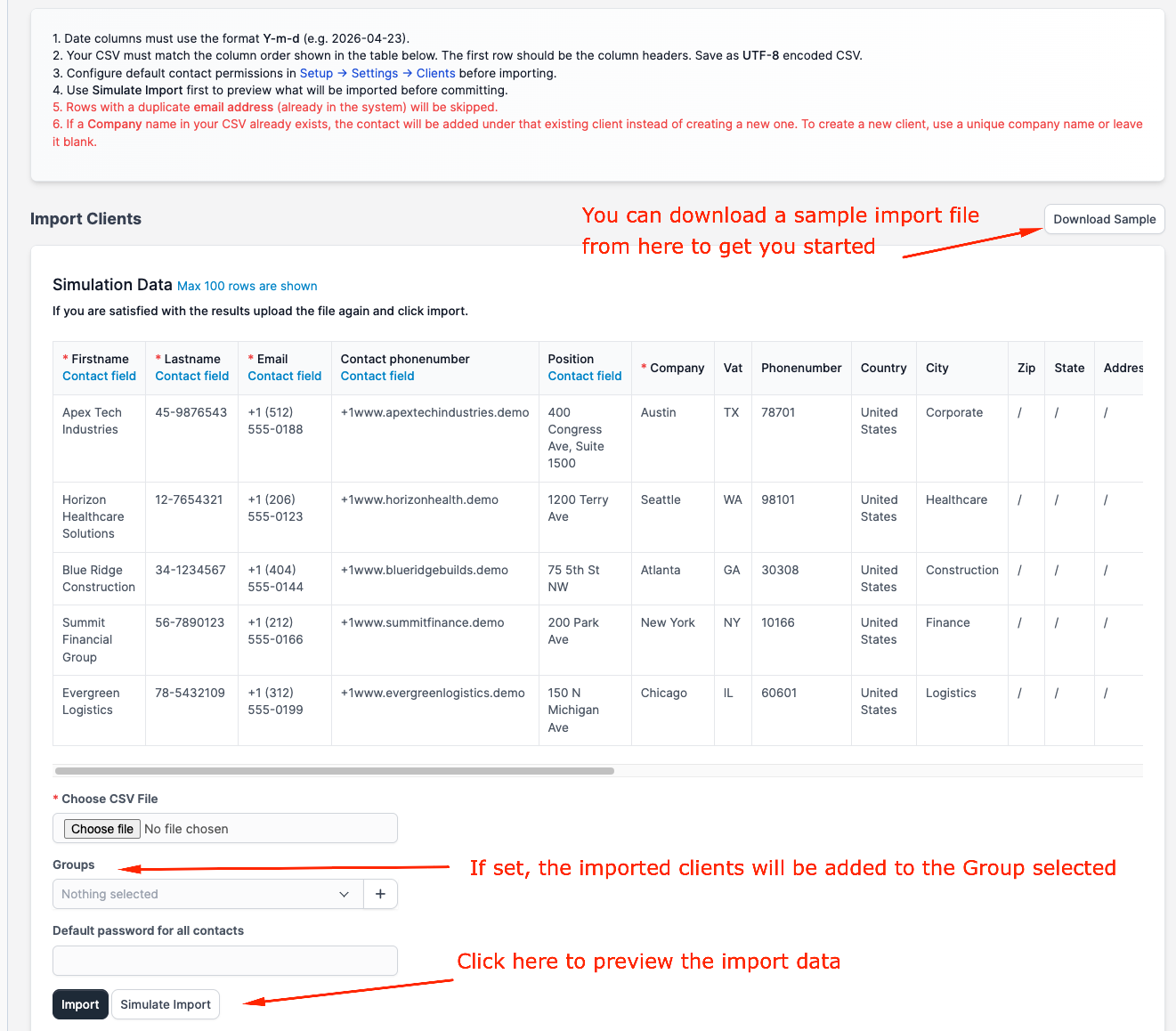
CaseFlow processes the file and tells you how many clients were created and how many rows had errors (if any).
What happens to duplicates
The importer does not check for duplicates. If your CSV contains a client that already exists, CaseFlow creates a second record with the same name. Clean your spreadsheet before importing.
Importing contacts
The CSV import creates client records only. It does not import individual contacts (people at the client company). After importing, you will need to add contacts to each client manually or through a second import focused on contacts.
To import contacts, go to a specific client's profile, click the Contacts tab, and use the import option there.
Limits
There is no hard limit on CSV size, but imports over 500 rows may take a minute or two to process. If your import fails partway through, the clients created before the failure remain in the system; you do not need to start over from scratch.