
Clients
Clients are the people and organisations your firm works for. Every matter, invoice, proposal, and document in CaseFlow ties back to a client record.
What you can do
- Create client records for individuals or companies
- Store multiple contacts per client (billing, primary, etc.)
- Organise clients into groups
- Attach notes and documents directly to a client
- Import clients in bulk from CSV
- View a client's full history: matters, invoices, payments, proposals, contracts
The client list
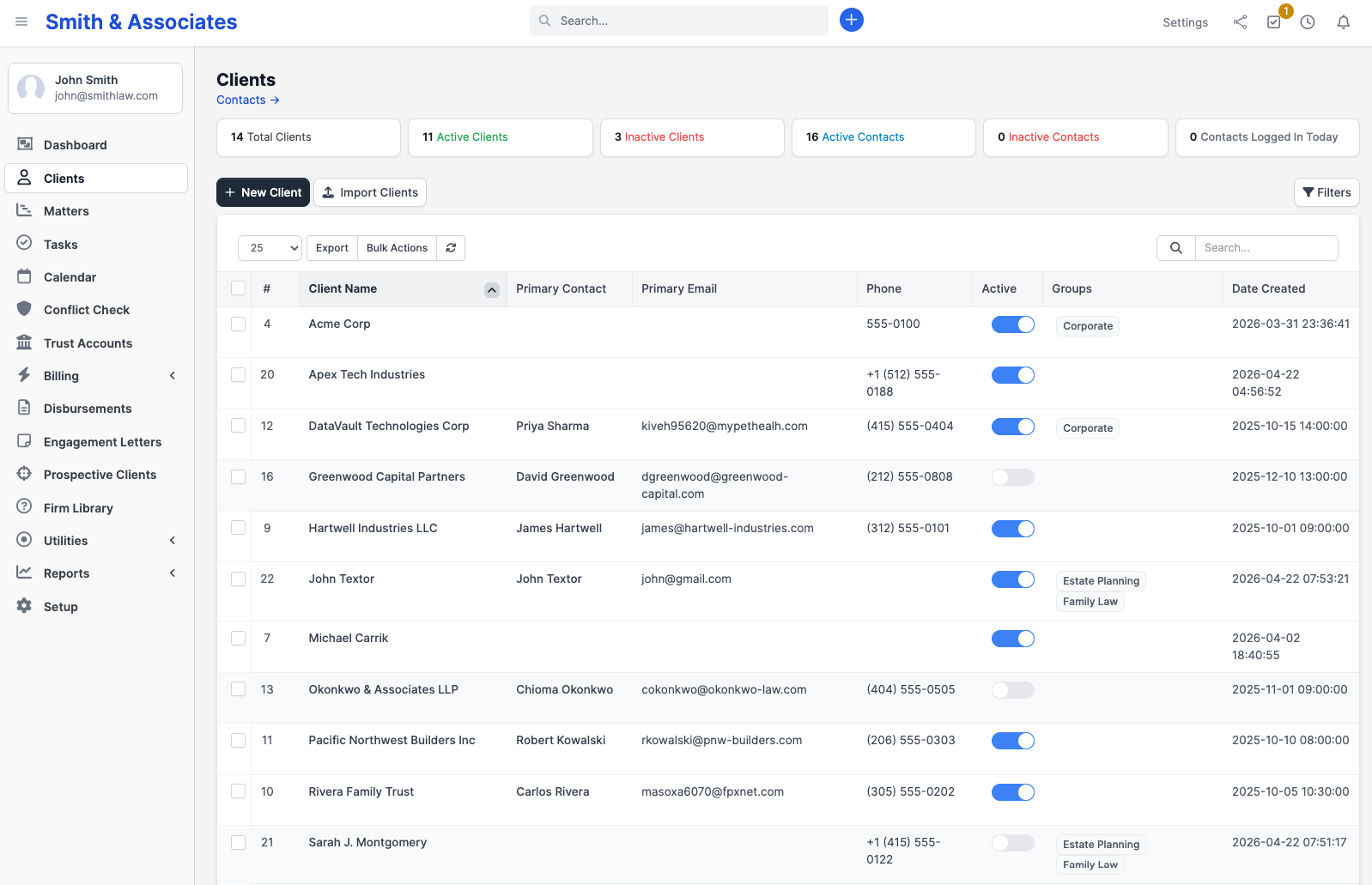
Click Clients in the sidebar to see all your clients. The list shows:
- Company/individual name
- Primary contact name and email
- Phone number
- Active matters count
- Groups they belong to
Use the search bar at the top to filter by name, email, or phone. You can also filter by group using the dropdown.
Client profile
Click any client's name to open their profile. The profile has tabs:
| Tab | Contents |
|---|---|
| Summary | Overview with contact info, address, and recent activity |
| Contacts | All people associated with this client |
| Matters | Linked matters with status |
| Invoices | All invoices issued to this client |
| Payments | Payment history |
| Proposals | Proposals and engagement letters sent |
| Contracts | Active and expired contracts |
| Expenses | Expenses billed to this client |
| Documents | Files attached to the client record |
| Notes | Internal notes (not visible to the client) |
| Vault | Secure document storage (Growth plan and above) |
| Map | Address on a map if location data is filled in |
Plans and availability
Client management is available on all plans. The client portal (where clients log in to view their own invoices and documents) requires the Growth plan or above.