
Key deadlines on the calendar
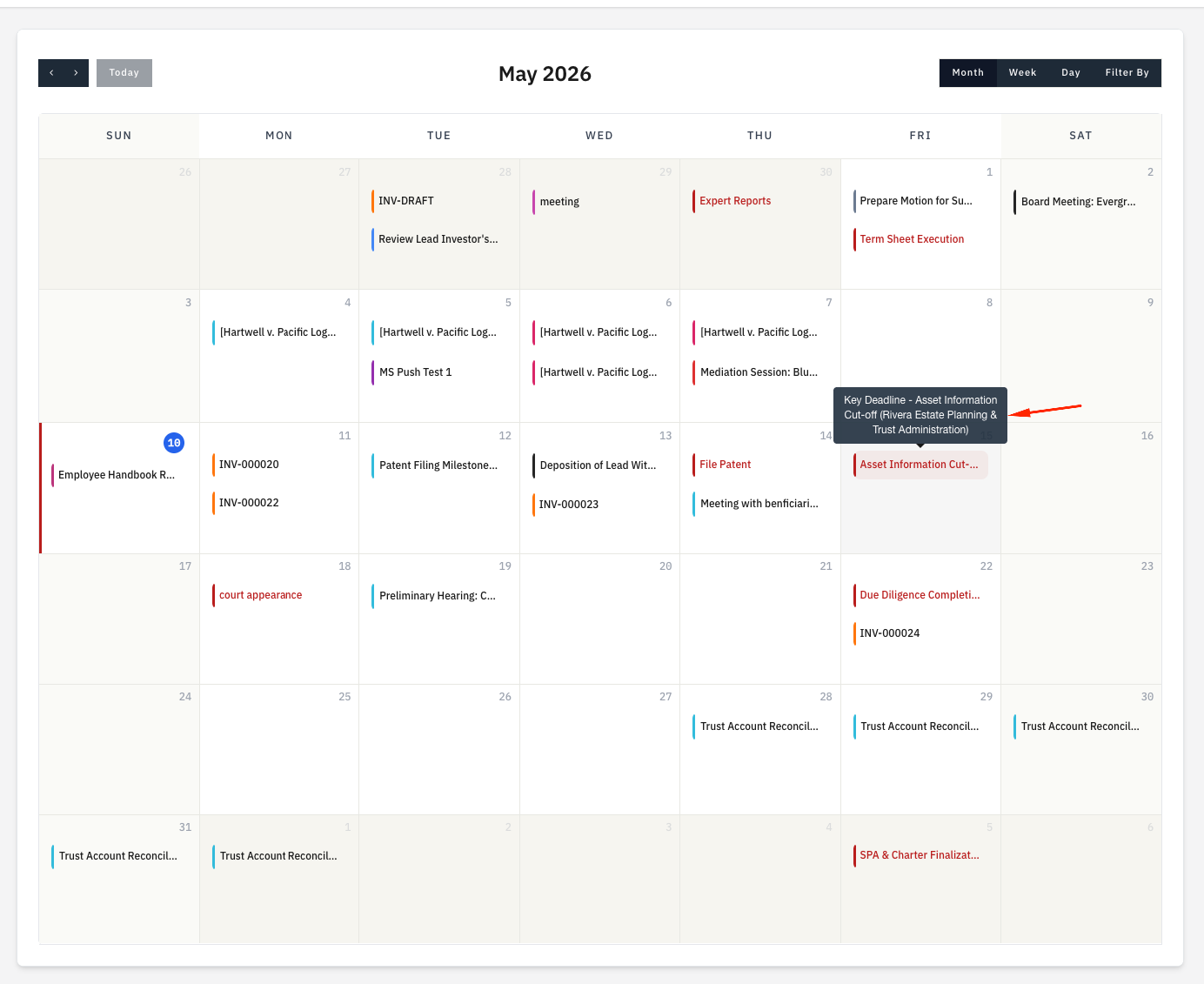
Key deadlines (also called milestones) are date-anchored markers within a matter, used for filing deadlines, court dates, statute of limitations dates, and any other date the firm needs to hit. Every key deadline you set on a matter appears on the firm-wide Calendar automatically, on its Deadline date.
This page covers how key deadlines appear on the calendar. To create or edit deadlines themselves, see Key deadlines under Matters.
Where they appear
A key deadline plots once on the calendar grid, on its Deadline date. The Tracked From date does not appear on the calendar; it only drives the Matter Timeline on the matter.
The label shown on the grid is the deadline's name, prefixed with the matter for context. Click the entry on the grid to jump straight to the matter's Key Deadlines tab.
Showing or hiding key deadlines
You can control which key deadlines appear on the calendar at three levels:
Firm-wide
Setup > Settings > Calendar, then turn off the Key Deadlines toggle in the "Show on calendar" section. This suppresses every key deadline from every staff member's calendar across the firm.
Per session (your view only)
Open the filter by panel on the calendar header. Untick Key Deadlines to hide them from the current view. Reloading the calendar from the sidebar resets to the firm defaults.
Per deadline
On the deadline itself, the Hide from client flag controls visibility in the client portal. Staff still see hidden deadlines on the firm-wide calendar; the flag only affects the client view.
Visibility for staff
Staff who can view a matter (either by having global Projects permission or by being assigned to that matter as a project member) see its key deadlines on the calendar. Staff outside an ethical wall on a walled matter never see those deadlines.
Visibility for clients
For client-portal users, a key deadline appears on the portal calendar only when all three of these are true:
- The firm has Show milestones on calendar turned on
- The matter has Show milestones to client turned on (in the matter settings)
- The deadline itself does not have Hide from client turned on
If any one of these is off, the deadline does not appear on the client's portal calendar.
Plan availability
Plan requirement
Key deadlines and the calendar are available on all plans (Solo, Growth, and Multi-Practice).
Next steps
- Creating key deadlines - Add and edit deadlines on a matter
- Court rules - Compute deadlines automatically from a trigger date and a court rule (Multi-Practice plan)
- Calendar overview - The full calendar view with filter controls