
CaseFlow Intelligence
CaseFlow Intelligence is a set of assistants built into CaseFlow that summarize, draft, and answer questions using your firm's own records. Nothing is saved, sent, billed, or filed without a person reviewing and accepting it first. It is off by default and works only with the information already in your firm.
How it works
- Your records only. CaseFlow Intelligence reads the matters, documents, time entries, and other records your firm has already saved. It does not browse the internet or access anything outside your firm.
- Suggest, then approve. Every draft, summary, or answer is a suggestion. You decide whether to use it. Nothing changes in your firm's records until you accept it.
- Off until you turn it on. A firm administrator enables the master switch, then turns on each capability individually.
- A monthly limit per firm. The conveniences pause first, and the work CaseFlow does for your firm, such as reading PDF bank statements, carries on longest. See Monthly limit.
- Shows its sources. When the assistant answers a question about your records, it tells you which records it drew from.
- Recorded to your audit trail. Every time a feature runs, CaseFlow writes it to your firm's tamper-evident audit trail: who asked and that it happened. The wording of questions, answers, and drafts is not stored.
What it will not do
- Give legal advice or legal conclusions
- Research or cite case law
- Draft or file court documents
- Decide conflicts of interest
- Move, adjust, or disburse trust funds
- Decide whether to take on a client or matter
These boundaries are deliberate. Decisions like these require a lawyer's professional judgment, and CaseFlow Intelligence is not a substitute for it.
What is included in each plan
| Plan | CaseFlow Intelligence features |
|---|---|
| Solo Practitioner | None |
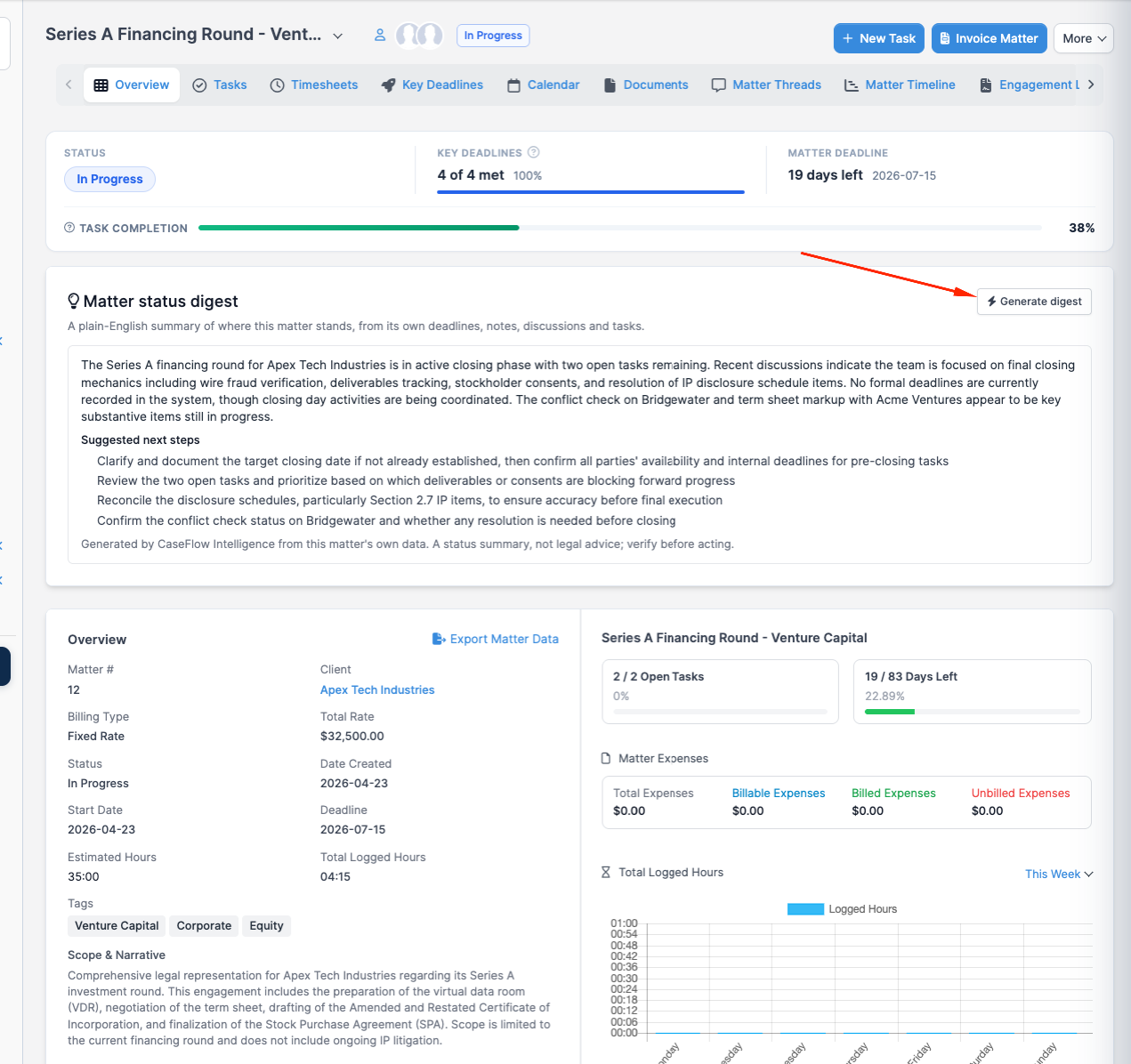
| Growth | Matter status digest, Draft a reply, Payment-reminder drafts, Document summary |
| Multi-Practice | Everything in Growth, plus Deadline extraction, Time-entry narratives, Lead intake summary, Conflict-review assist, Trust-flag narration, and Ask CaseFlow (your records) |
The assistant's "Product help" feature, which answers questions about how to use CaseFlow, is available on every plan once a firm administrator turns on the master switch. The trial includes every feature in the table, including the Multi-Practice ones.
Your data and privacy
When a feature runs, only the specific information it needs is sent to CaseFlow's AI provider, Anthropic, to be read. Anthropic does not use this content to train its models. To see how long Anthropic keeps it, ask us for Anthropic's commercial terms. When CaseFlow Intelligence is off, nothing is sent.