
Matter stages
Every matter has a status that tells you where it is in its lifecycle. You can change the status at any time from the matter's Overview tab.
Default stages
CaseFlow ships with these statuses:
| Status | Meaning |
|---|---|
| Not Started | Created but work has not begun |
| In Progress | Active work happening |
| On Hold | Paused; waiting on something external |
| Cancelled | Abandoned; no further work planned |
| Finished | Completed |
The progress bar on a matter is separate from its status. Progress is calculated from completed tasks (e.g. if 3 of 10 tasks are done, progress is 30%). You can also set progress manually.
Changing a matter's status
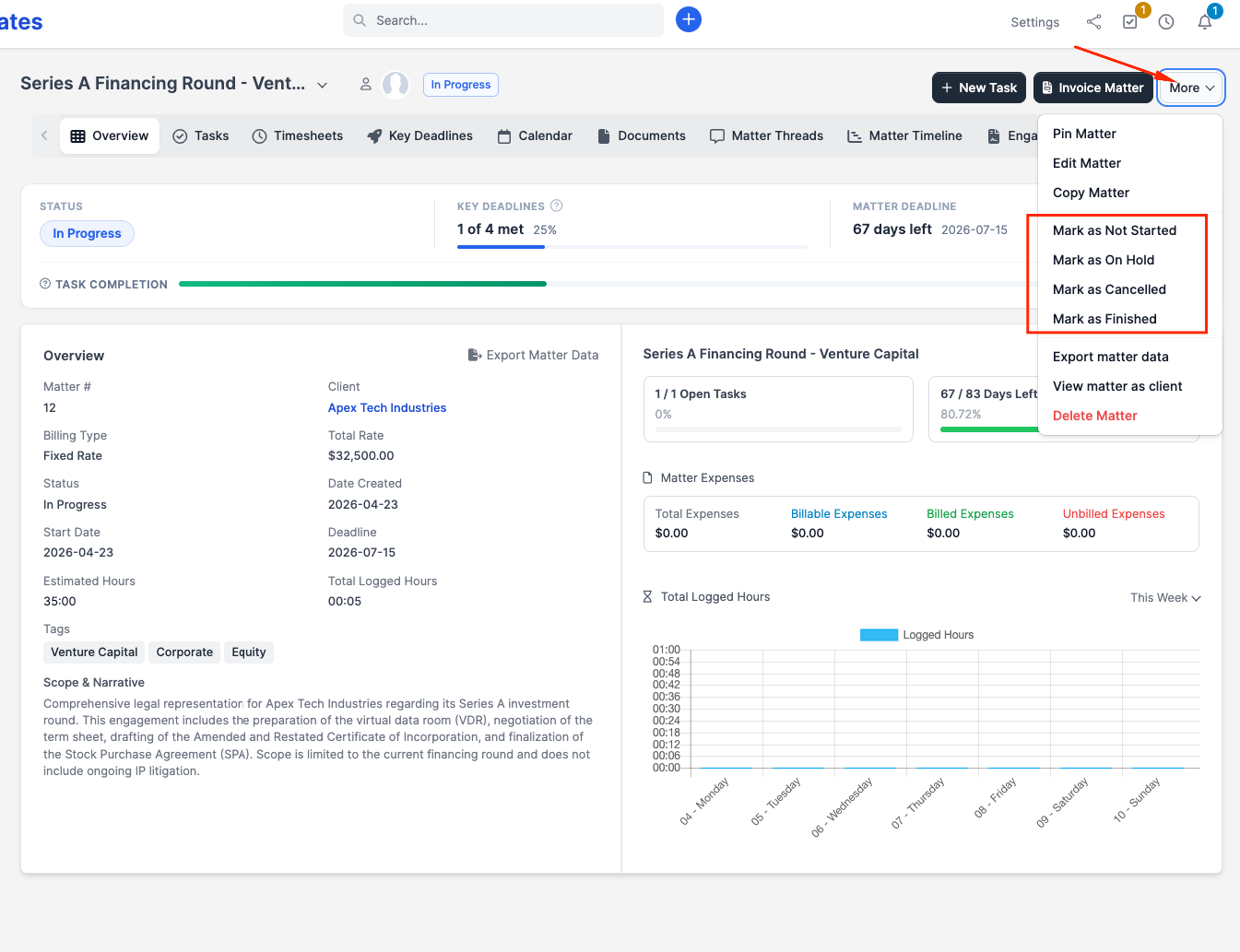
Open the matter and look for the More dropdown at the far right of the Overview tab and then click on it. Select a new status and it saves immediately.
Filtering by status
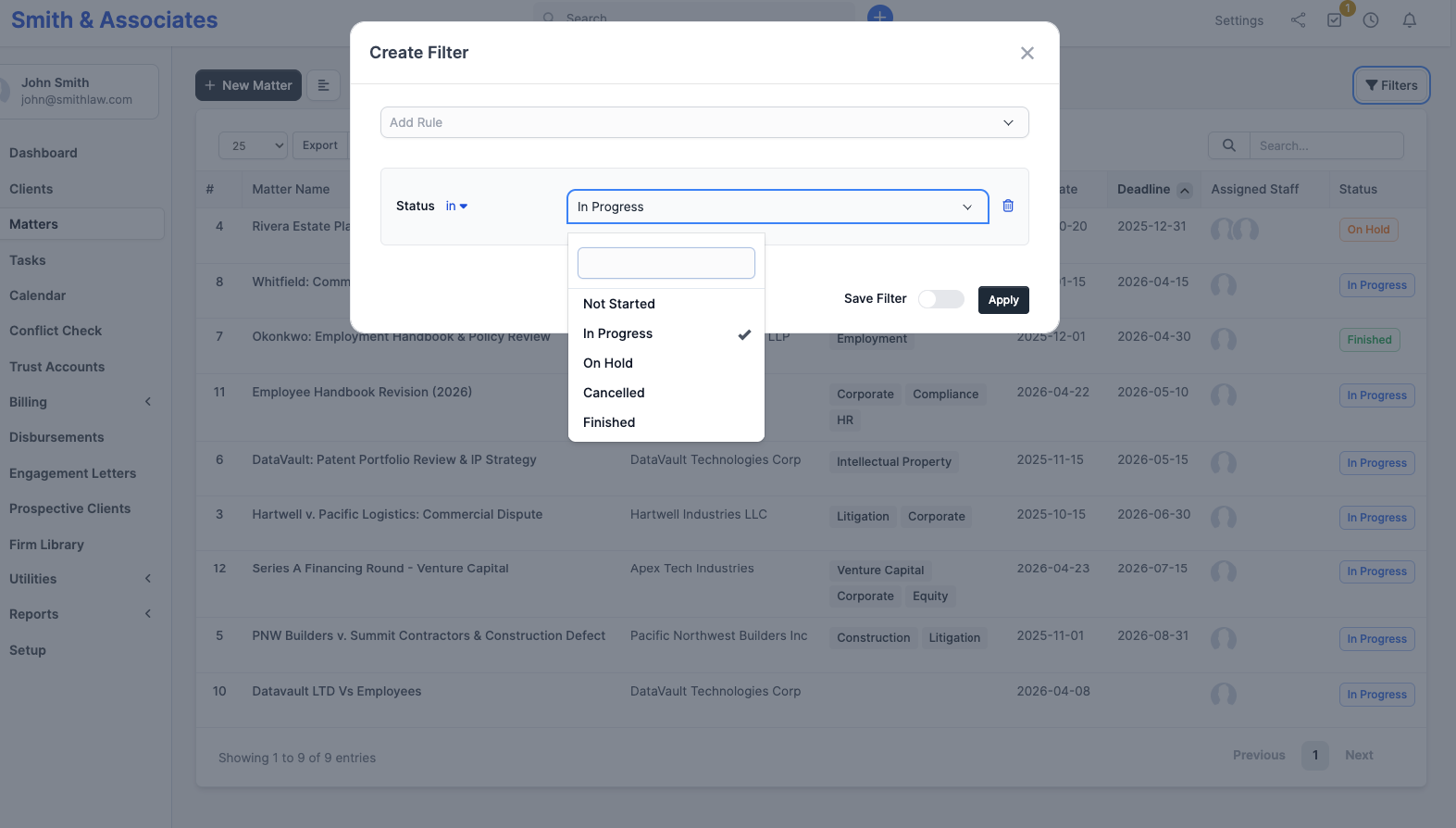
On the matter list page, you can use the Filter feature to create a rule that uses the Status to show only matters in a specific stage. This is useful for reviews; for example, filtering to "On Hold" to check what is stuck.
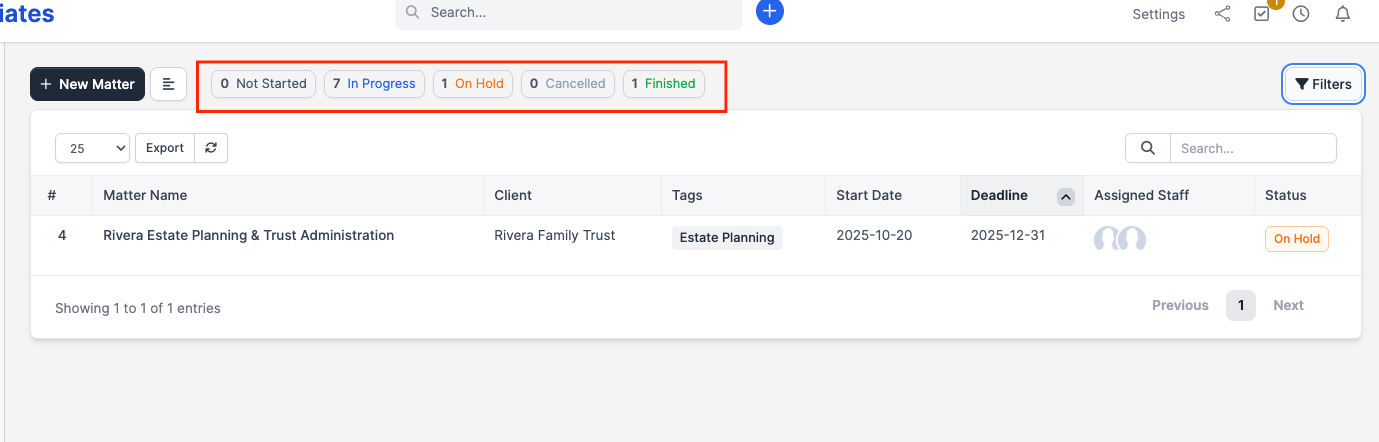
A quicker and easier option if you just want a simple filter is to simply click on any of the status filters already added by default at the top of the matter list page. For example, the image below shows matters that are on hold after clicking on the On Hold filter.
Custom statuses
You cannot rename or add new status options in the current version of CaseFlow. The five statuses listed above are fixed. If you need more granularity, use tags on the matter (e.g. "awaiting-court-date", "in-review") and filter by those instead.
What happens when you mark a matter as finished
Nothing is locked. You can still add documents, notes, or time entries to a finished matter. The "Finished" status is informational; it tells your team that work is done, but CaseFlow does not enforce any restrictions on it.
If you want to prevent accidental changes, remove all staff assignments except the admin.