
The Ask CaseFlow assistant
CaseFlow includes "Ask CaseFlow", an assistant you can open from anywhere in your account. It answers questions about how to use CaseFlow, and on the Multi-Practice plan it can also answer questions about your firm's own records.
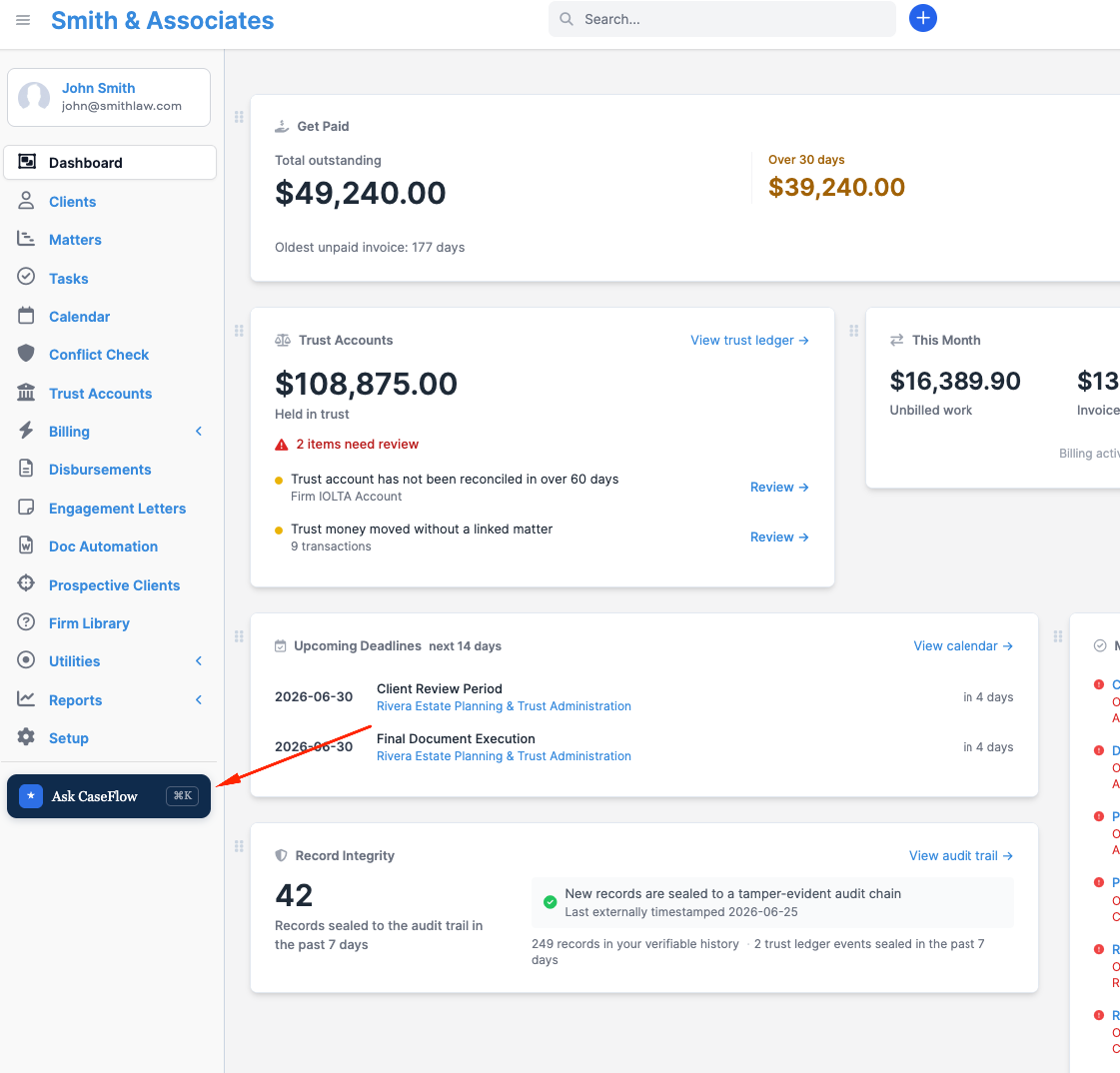
Opening the assistant
You can open "Ask CaseFlow" in three ways:
- Press Cmd-K (Mac) or Ctrl-K (Windows) at any time on a computer.
- Click the dark "Ask CaseFlow" button at the foot of the left sidebar.
- Tap the floating "Ask CaseFlow" button on a phone.
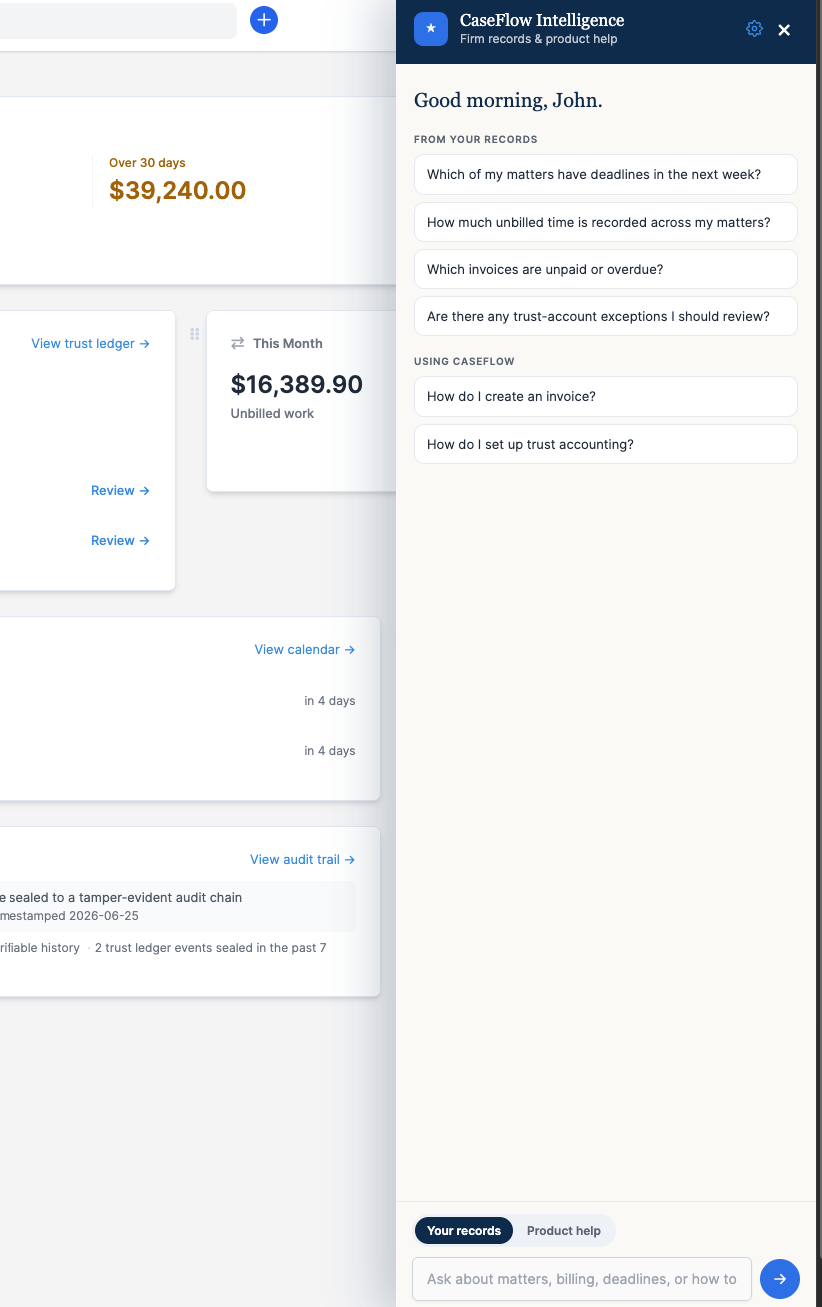
Close it by clicking the close control or pressing Escape.
What it can help with
On every plan, once a firm administrator turns on CaseFlow Intelligence (see Turning it on), "Ask CaseFlow" answers "how do I do this in CaseFlow" questions from the help documentation. Ask it questions like:
- "How do I create an invoice?"
- "How do I set up trust accounting?"
- "What is the difference between an estimate and a proposal?"
On the Multi-Practice plan, it can also answer questions about your firm's own matters, deadlines, time, invoices, and trust-account exceptions. It will show you the exact records as clickable links and only displays information you already have access to.
Type your question and press Enter. The assistant replies in the panel. You can keep the conversation going with follow-up questions; it remembers the thread while the panel is open.
When it cannot answer
If a question falls outside what the documentation covers, the assistant will say so plainly rather than guess. When that happens, it offers a "Contact our team" button. Click it to send your conversation to the CaseFlow support team, who will follow up by email.
Good to know
- Product help is not legal advice. The assistant explains how to use CaseFlow. It does not provide legal advice and will not draft legal content. Always apply your own professional judgment to your matters.
- Your records answers are read-only and respect your access. The assistant looks things up and never creates or changes anything. You only see records you already have access to, and the firm's conflict screening is fully respected.
- Your conversation stays with your firm. Questions you ask are handled for your account and not shared with other firms. Only when you click "Contact our team" is the conversation sent to CaseFlow support.