Billing and time tools
CaseFlow Intelligence can help you draft payment reminders and suggest billing narratives for time entries. Each feature reads information from your invoices or tasks and shows you a suggestion for review. Nothing is saved, sent, or billed until you approve it.
To use any of these features, you must first turn on CaseFlow Intelligence and the specific capability.
Payment-reminder drafts
Plan requirement
Growth plan and above.
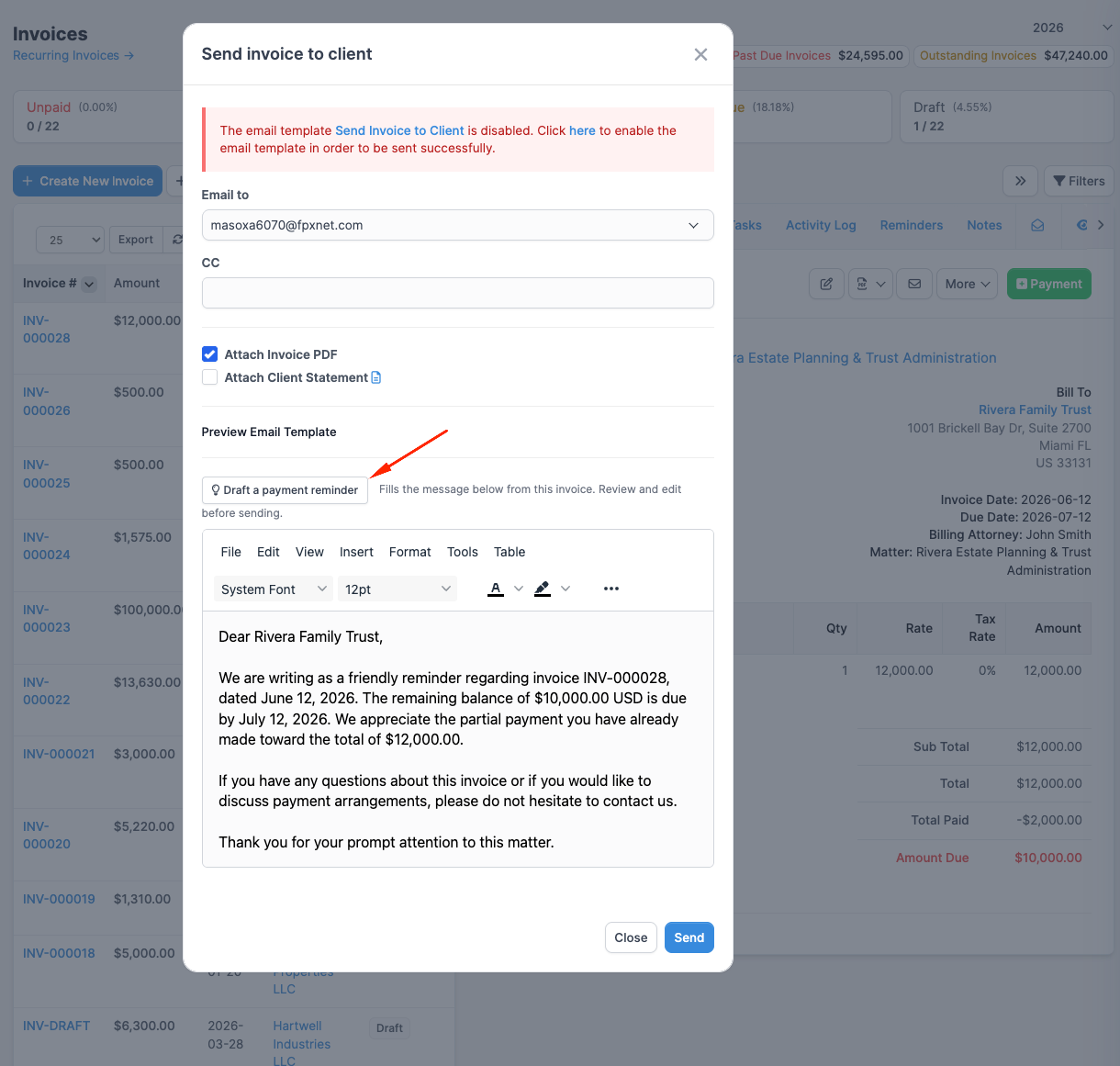
When you send an invoice to a client by email, you can ask CaseFlow Intelligence to draft a payment reminder message. It reads the invoice's details (the invoice number, balance due, and due date) and creates a courtesy reminder.
- Open the invoice and click "Send".
- In the email compose window, click "Draft a payment reminder".
- Review the suggested message.
- Edit it if needed.
- Send the email normally.
The suggested reminder is never sent automatically. You review it first. This is a courtesy reminder, not a demand letter or legal advice.
Time-entry narratives
Plan requirement
Multi-Practice plan.
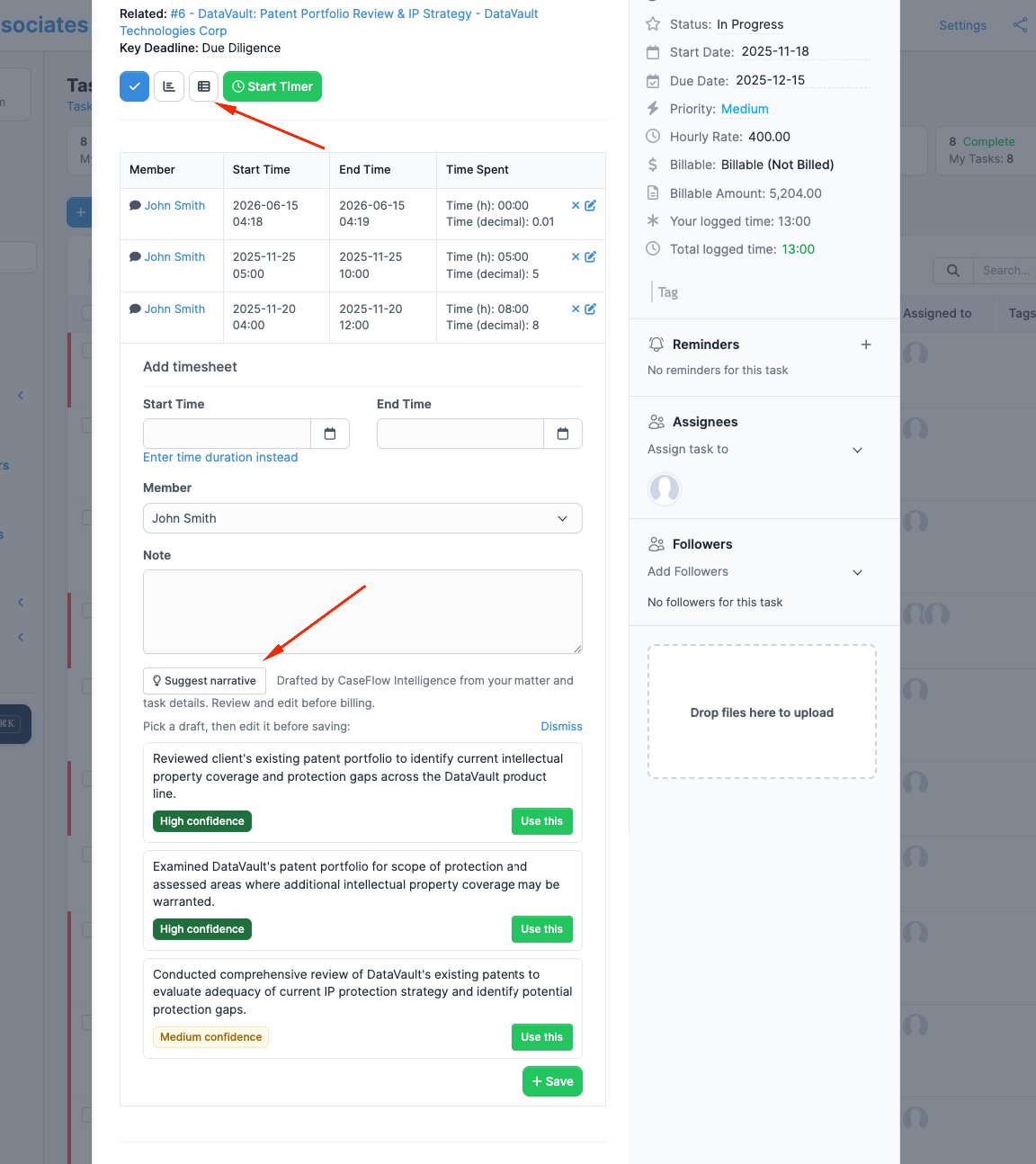
When you record a time entry, you can ask CaseFlow Intelligence to suggest one or more billing narrative options based on the matter and task details. Review the options, pick one, edit it if needed, and place it in your time entry before you save.
- Open a time entry or create a new one.
- Click "Suggest narrative".
- Review the suggested narrative options.
- Pick the one that fits, or edit one to match what you actually did.
- Click "Use this" to place it in the description field.
- Save the time entry normally.
Nothing is billed automatically. You always save the time entry yourself after reviewing and approving the narrative.